01 · Home
Know where you are in your treatment.
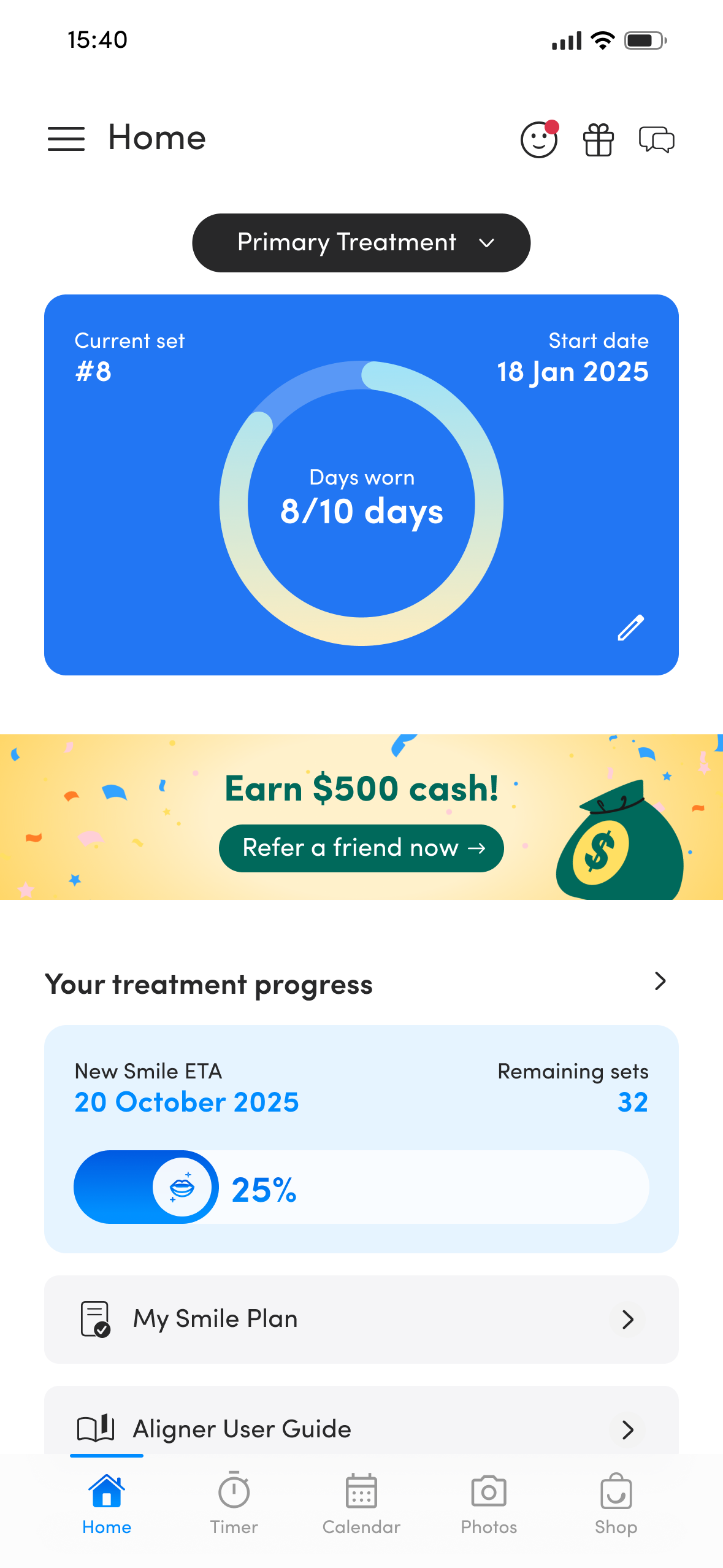
Your Home screen gives you the most important treatment information at a glance.
1
Current set
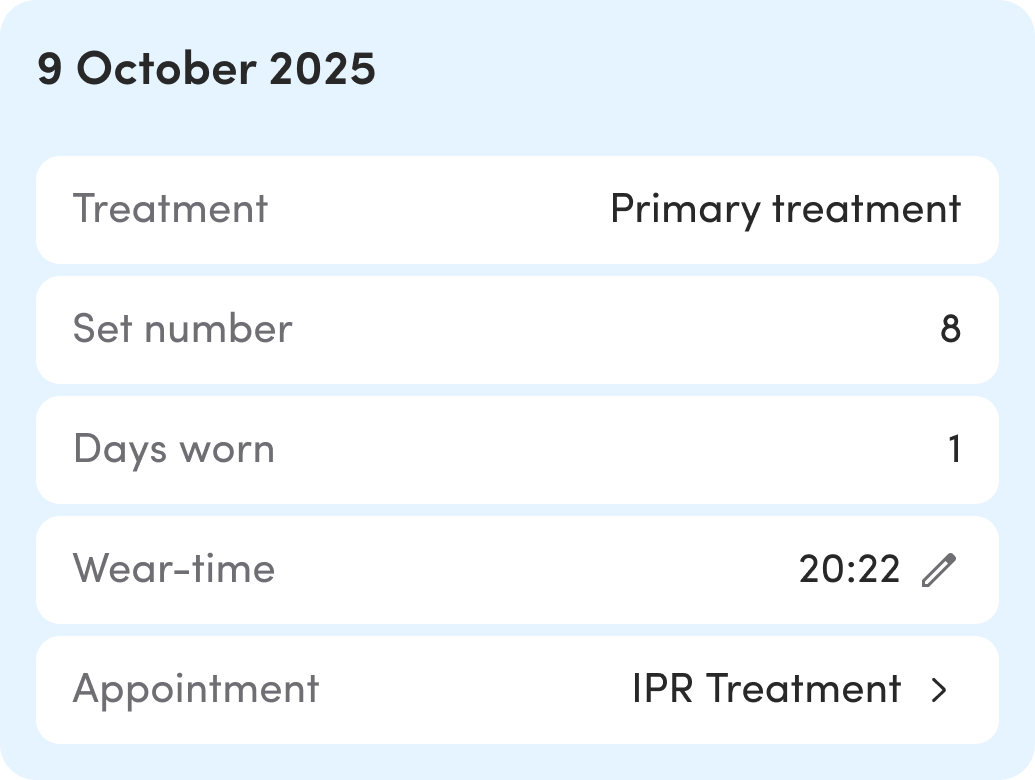
Check which aligner set you're on and how many days you've worn it.
Check which aligner set you're on and how many days you've worn it.
2
Treatment progress
See your New Smile ETA and how many sets remain.
See your New Smile ETA and how many sets remain.
3
Smile Plan & guide
Open your Smile Plan and helpful treatment information whenever you need it.
Open your Smile Plan and helpful treatment information whenever you need it.
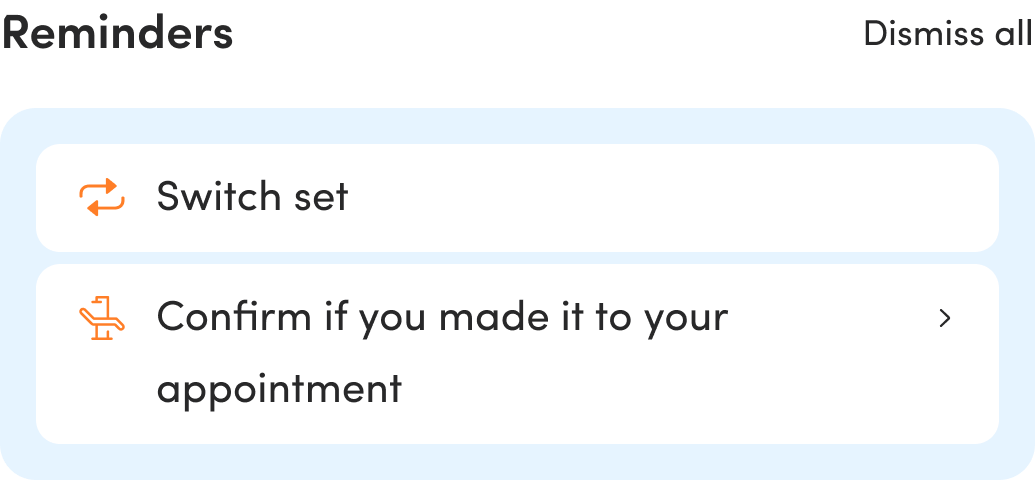
Home is your main treatment hub. Check your set start date alongside your days worn, and review any treatment actions or reminders shown here. See below for switching sets and correcting your set progress.
Treatment Progress
See the journey ahead.
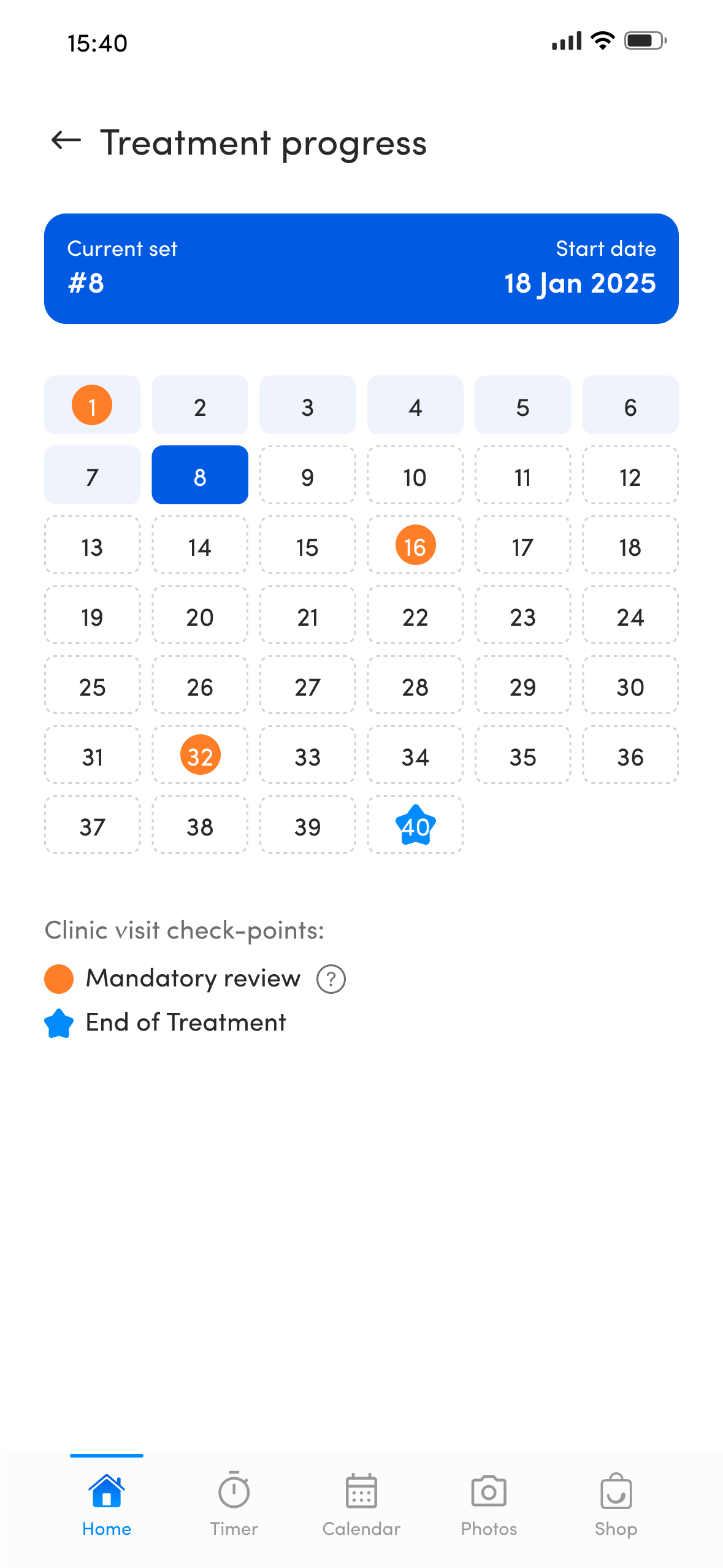
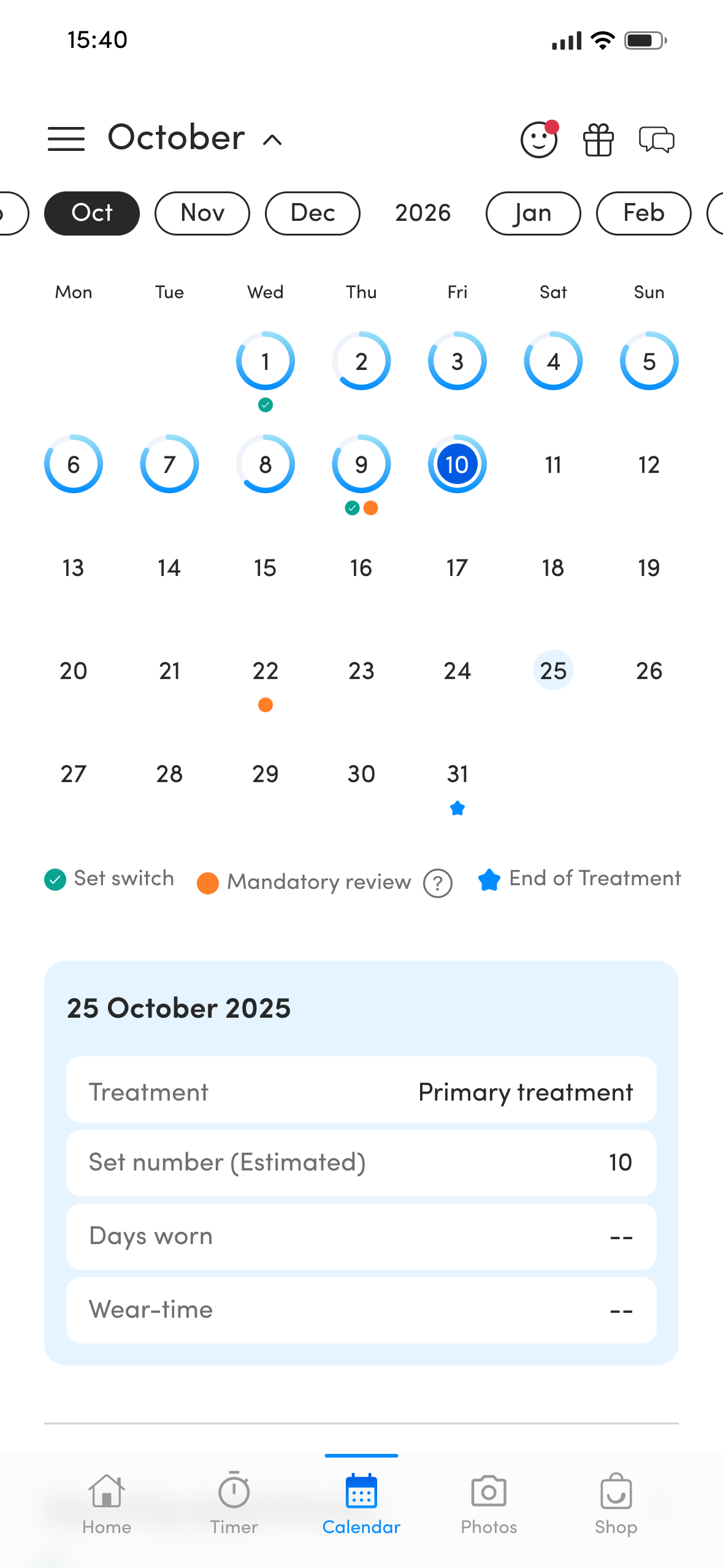
Open Treatment Progress from Home to see your aligner sets and important milestones across the full treatment journey.
1
The highlighted set shows where you are now.
2
Mandatory reviews are marked in orange so you can spot important checkpoints.
3
Your expected end of treatment is shown separately.
Your app shows the schedule from your dentist-approved treatment plan. If anything looks different from what you've been advised, contact the Zenyum team for help checking it against your approved plan before changing your aligner schedule.
Switching to your next set
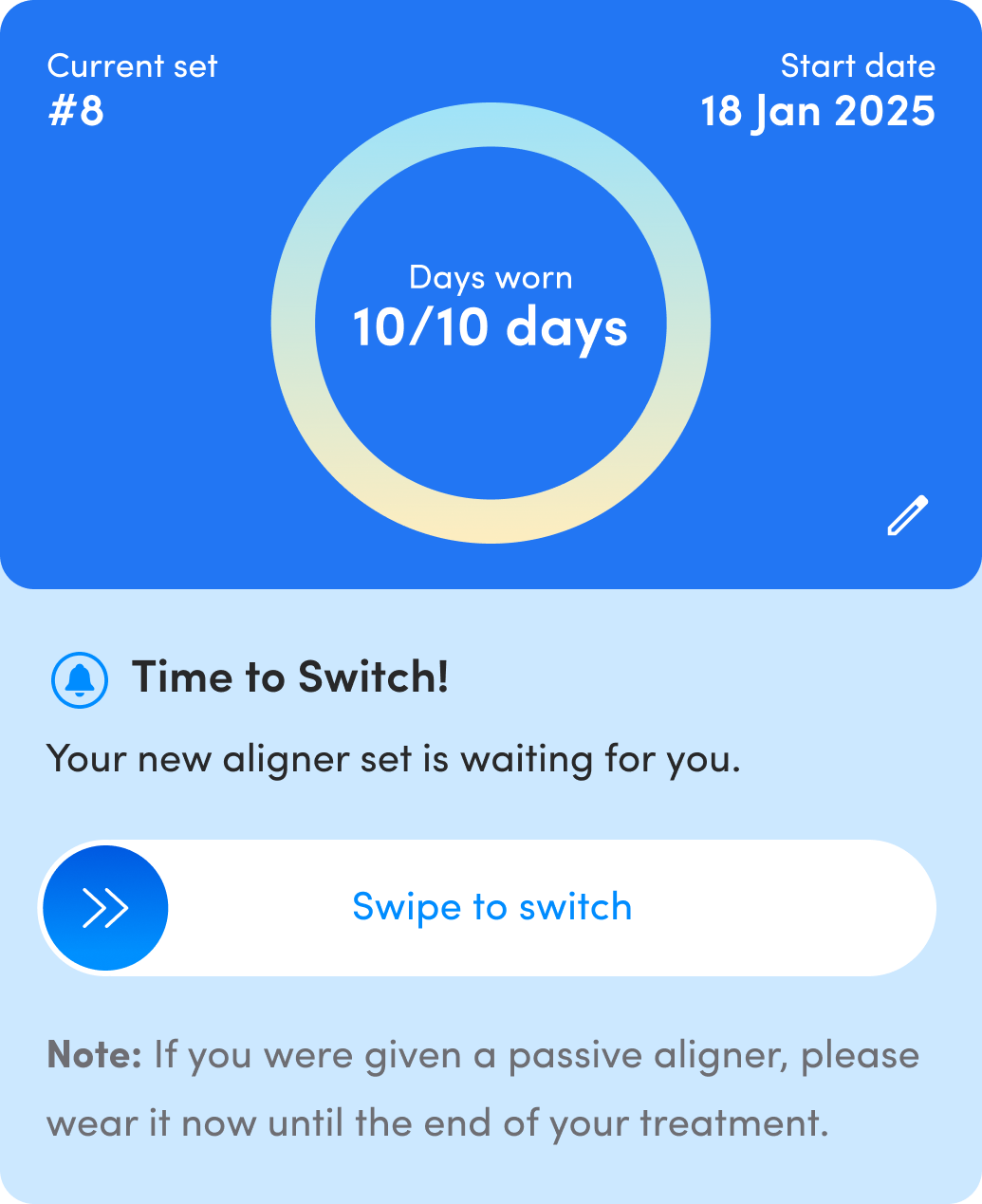
- Open Home and review your treatment progress card.
- When you reach the final planned day of your current set—for example, 10/10 days—look for Time to Switch!
- Swipe the Swipe to switch control to the right.
- Check the card afterwards to confirm that your new current set is displayed.
Switch when scheduled in the app, which reflects your dentist-approved treatment plan. Do not use this feature to switch to your next set early unless your dentist has approved a change. If the timing looks incorrect, contact the Zenyum team for help checking it.
Updating your current set
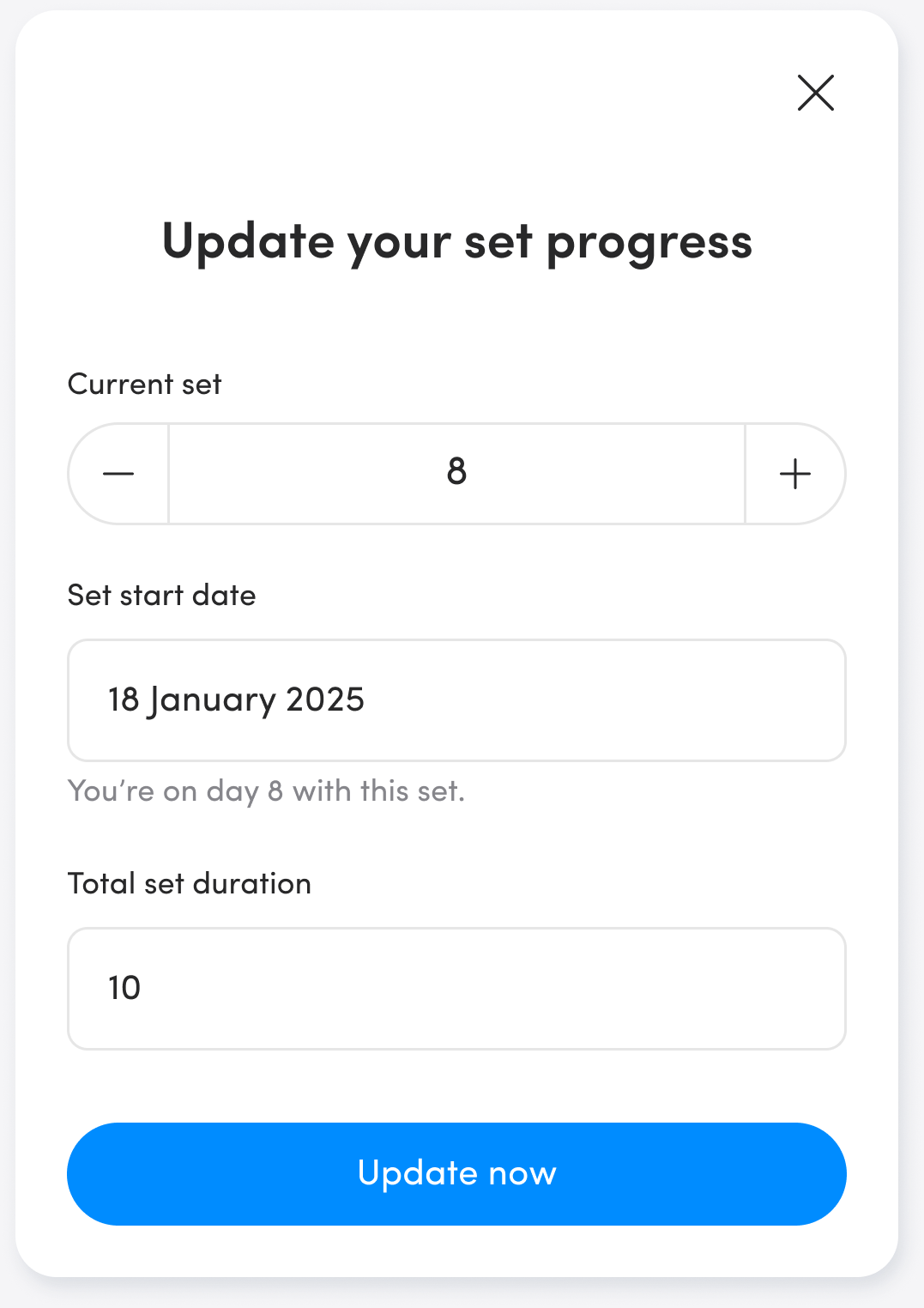
If the progress shown in your app needs correcting, update the details to match the set you are actually wearing.
- On the treatment progress card in Home, tap the pencil/edit icon.
- In Update your set progress, use the − / + controls to correct the Current set number.
- Check or correct the Set start date and Total set duration.
- Tap Update now to save the corrected progress.
Your app shows the set duration from your dentist-approved treatment plan. Use this feature to correct your recorded progress so it matches that plan. If you're unsure what to enter, contact the Zenyum team for help checking the details. Any change to the treatment plan itself requires your dentist's approval.